
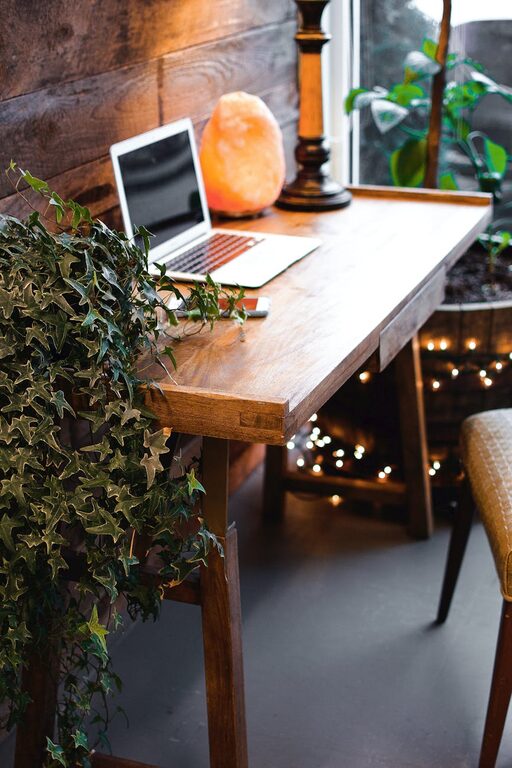
Creating a cozy and inviting home workspace is essential for anyone who spends significant time working from home. A well-designed area can improve focus, increase productivity, and promote well-being throughout the day. Whether you have a dedicated room or just a small corner, these tips will help you create a workspace that feels comfortable and inspiring.
Choose the Right Location
The first step in designing your home workspace is selecting the right spot. Consider areas with good natural light, minimal distractions, and enough space for your work essentials.
– Natural Light: Position your desk near a window if possible. Natural light improves mood and reduces eye strain.
– Quiet Area: Find a spot away from noisy appliances or high-traffic zones in your home.
– Space: Ensure your workspace can comfortably hold your desk, chair, and any equipment you need without feeling cramped.
Invest in Comfortable Furniture
Comfort plays a big role in maintaining focus and staying motivated throughout your workday.
– Ergonomic Chair: Choose a chair that supports your back and promotes good posture. Adjustable height and lumbar support are important features.
– Functional Desk: Pick a desk with enough surface area to organize your tools and documents. A desk with storage can help reduce clutter.
– Footrest: If your feet don’t rest flat on the floor, use a footrest to improve circulation and comfort.
Personalize Your Space
Adding personal touches will make your workspace more inviting and help you feel inspired.
– Plants: Small potted plants or succulents bring life to your desk and help purify the air.
– Artwork: Hang prints or photos that motivate you or make you smile.
– Decor: Use cozy textiles like a soft throw blanket or decorative cushions on your chair.
Organize and Declutter
A tidy workspace reduces stress and saves time searching for items.
– Storage Solutions: Use shelves, bins, or filing cabinets to keep supplies organized.
– Desk Organizers: Keep pens, paper, and electronics in designated holders.
– Cable Management: Use clips or cord sleeves to keep cables neat and prevent tangling.
Optimize Lighting
Good lighting is crucial for reducing eye strain and setting the right mood.
– Task Lighting: A desk lamp with adjustable brightness helps focus on your work.
– Ambient Lighting: Soft overhead or floor lamps create a warm and cozy atmosphere.
– Avoid Glare: Position screens and lights to avoid reflections or glare on your computer monitor.
Incorporate Relaxation Spaces
To prevent burnout, include elements that encourage short breaks and relaxation.
– Comfortable Seating: Add a small armchair or cushion nearby for stretching or quick breaks.
– Aromatherapy: Use gentle scents like lavender or eucalyptus to calm and refresh your mind.
– Music or Sound: Consider soft background music or white noise to enhance concentration.
Maintain Good Air Quality
Fresh air improves cognitive function and comfort.
– Ventilation: Open windows when possible to let in fresh air.
– Air Purifiers: Use an air purifier if your workspace lacks good airflow.
– Plants: As mentioned, many indoor plants can improve air quality.
Set Boundaries
When working from home, it’s important to separate your workspace from personal areas.
– Defined Area: Use room dividers or rugs to visually mark your workspace.
– Work Hours: Establish and respect work hours to maintain work-life balance.
– Limit Interruptions: Communicate workspace boundaries to family or housemates.
Use Technology Wisely
Having the right technology setup will make your work easier and more efficient.
– Reliable Internet: Ensure your internet connection is strong and stable.
– Ergonomic Accessories: Wireless keyboards, mice, and stands can help reduce strain.
– Backup Storage: Regularly save your work using cloud services or external drives.
Keep It Flexible and Adaptable
Your workspace should evolve with your needs.
– Adjustable Furniture: Desks or chairs that can move with you promote better comfort.
– Multi-purpose Space: If your office doubles as another room, choose furniture that can be easily rearranged.
– Review and Update: Periodically assess your setup and make changes to improve comfort and efficiency.
—
By thoughtfully designing your home workspace to be cozy, organized, and personalized, you’ll create an environment that supports your work and well-being. Small adjustments to lighting, furniture, and decor can make a big difference in how enjoyable and productive your workday can be. Take the time to build a space where you truly want to spend your time.